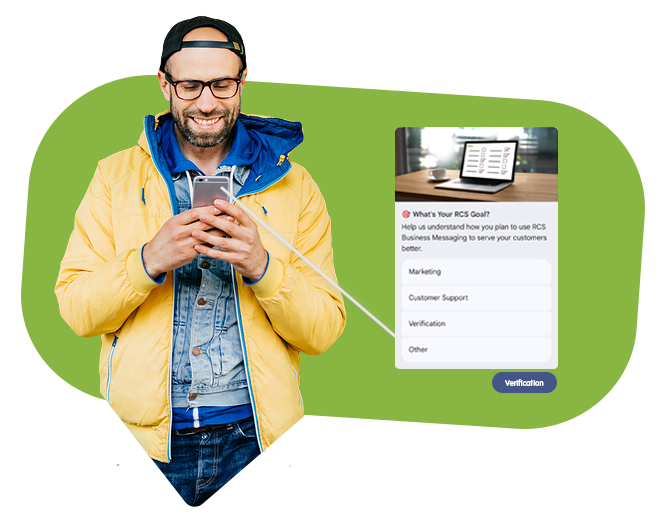
postbackData is an invisible string (payload) that you attach to each interactive button (suggestion) in your RCS message. When a user clicks a button, this string is sent back to your server via a webhook.
Beach text-field on a button is what the user sees (e.g., ”Yes, please!”). postbackData what your code reads (e.g. user_confirmed_subscription_v1).
Identification: You can know exactly which button the user clicked, even if multiple buttons have the same text (e.g., ”Select” under different products in a carousel).
Language-independent You can change the button's text from ”Buy” to ”Sell” without needing to change your backend logic, because postbackData remains the same.
Automation This makes it possible to automatically trigger the next step in a conversation (e.g., send a confirmation immediately when the click is registered).
How does the flow work? #
Broadcast: You are sending a message with a button there postbackData is set to order_123_confirm.
Interaction The user sees the ”Confirm order” button and clicks it.
Return: The recipient's phone is sending back the string order_123_confirm to the RCS platform.
Webhook iP.1 Networks sends an HTTP request to your predefined deliveryReportUrl with this data.
Technical specifications #
| Property | Details |
| Type | string |
| Length | Recommended to keep under 1024 characters for optimal performance. |
| Format | Optional, but often JSON or snake_case for easy parsing. |
Example usage #
Scenario A: Simple choice (Yes/No) #
In a booking message, you can have two buttons:
- Button 1 ”Yes”, postbackData:
appointment_confirm_id_888 - Button 2 No, rebook
appointment_reschedule_id_888
Scenario B: Product Carousel #
If you send a carousel with three different sweaters, you can use postbackData to include article number:
- Card 1: postbackData:
sku_99_blue_large - Card 2: postbackData:
SKU_102_Red_Medium
Best Practices #
Use unique IDs: Always include a unique reference ID (e.g., an order ID) in your postbackData so you know exactly which transaction the click relates to.
Machine-readable format If you have a lot of information, use a format that your server can easily read, like: {"action": "verify", "user": "46700123456", "ver": 1}.
Logging Always save it uniqueId you sent in the original message along with expected postbackData in your database to close the loop upon response.
Example Webhook Payload #
Track packageWebhook field explanation #
| Field name | Description of the project | Why is it important? |
| messageId | ID of the original message. | Used to see which specific mailing the customer is responding to. |
| sender | Recipient's phone number (MSISDN). | To know which customer clicked so you can update the correct profile. |
| type | Type of event. | In this case SUGGESTION_RESPONSE, which means a button has been pressed. |
| postbackData | The hidden string. | It's this one you're using in your if– or switch-sats to trigger logic. |
| text | The visible text on the button. | Can be used for logging, but should not be used for business logic. |
| timestamp | Click time. | To be able to log exactly when the interaction occurred. |
Example of RCS Webhook Handling (C#) #
In C#, we usually want a strongly typed model to take advantage of IntelliSense and avoid typos.
1. Create a model for the Webhook data #
First, we create a class that matches the JSON structure we get from iP.1 Networks.
public class RcsWebhookRequest
{
    public string MessageId { get; set; }
    public string ConversationId { get; set; }
    public string Sender { get; set; } // Recipient's phone number
    public string Agent { get; set; }
    public string Brand { get; set; }
    public string Type { get; set; } // e.g., "SUGGESTION_RESPONSE"
    public string PostbackData { get; set; }
    public string Text { get; set; }
    public DateTime Timestamp { get; set; }
}
2. Create Your API Controller #
Here we build the logic to ”catch” the click and perform the correct action.
using Microsoft.AspNetCore.Mvc;

[ApiController]
[Route("api/webhooks")]
public class RcsWebhookController : ControllerBase
{
    [HttpPost("rcs-callback")]
    public IActionResult HandleRcsInteraction([FromBody] RcsWebhookRequest request)
    {
        // 1. Logga inkommande klick för felsökning
        Console.WriteLine($"Användare {request.Sender} klickade på: {request.Text}");

        // 2. Kontrollera att det faktiskt är ett knapptryck (Suggestion)
        if (request.Type != "SUGGESTION_RESPONSE")
        {
            return Ok(); // Vi svarar 200 även om vi inte hanterar just denna typ
        }

        // 3. Agera baserat på postbackData
        switch (request.PostbackData)
        {
            case "track_package_click":
                // Anropa din frakt-tjänst
                bool success = NotifyShippingService(request.Sender);
                break;

            case "claim_offer_v1":
                // Aktivera rabattkod i databasen
                ActivateVoucher(request.Sender, "SPRING2026");
                break;

            case "confirm_appointment":
                // Uppdatera bokningsstatus
                UpdateCalendarStatus(request.Sender, true);
                break;

            default:
                // Logga okänd postbackData för framtida uppdateringar
                Console.WriteLine($"Okänd handling: {request.PostbackData}");
                break;
        }

        // 4. Svara ALLTID 200 OK snabbt för att bekräfta mottagandet
        return Ok(new { status = "received" });
    }

    // Exempel på interna metoder för affärslogik
    private void ActivateVoucher(string msisdn, string code) { /* Din logik här */ }
    private bool NotifyShippingService(string msisdn) { /* Din logik här */ return true; }
    private void UpdateCalendarStatus(string msisdn, bool confirmed) { /* Din logik här */ }
}